Compare the best AI-powered DLP tools that stop sensitive data leaks across email, cloud, and endpoints. Features, pricing, and deployment guides included.
AI-powered DLP tools detect sensitive data with 95% accuracy versus 70% for rule-based systems.
The global DLP market reached $3.5 billion in 2025 and is projected to hit $6.2 billion by 2028.
Microsoft Purview, Symantec DLP, and Forcepoint lead the enterprise DLP market with AI classification.
Modern DLP covers three channels: endpoint (devices), network (email and web), and cloud (SaaS and IaaS).
AI reduces false positives by 80%, letting security teams focus on real data exposure risks.
Data leaves your organization in dozens of ways. An employee emails a spreadsheet with customer Social Security numbers. A developer pushes API keys to a public repository. A contractor uploads client files to personal Dropbox. Each incident can cost millions in fines and lost trust.
Traditional DLP tools use rigid rules like "block any email containing 16 consecutive digits." They catch obvious cases but miss creative workarounds and generate mountains of false alerts. AI changes the game by understanding context, classifying data accurately, and learning what normal data sharing looks like at your company.
This guide covers the best AI-powered DLP platforms in 2026, how they work, and how to choose the right one. For the broader data security picture, start with our Complete AI Data Protection Guide.
How AI Data Loss Prevention Works
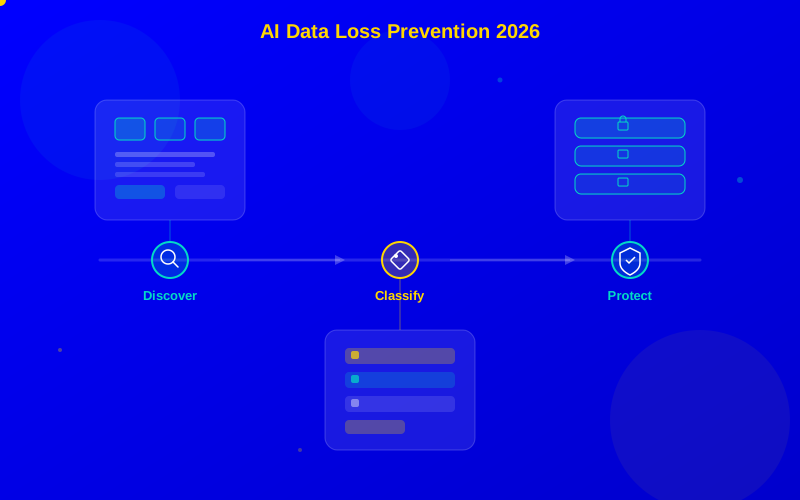
AI DLP operates in three stages: discover, classify, and protect. Each stage uses machine learning to improve accuracy over time.
Stage 1: Data Discovery
The platform scans everywhere data lives—file servers, cloud storage, email archives, databases, endpoints, and SaaS applications. It creates a map of sensitive data across your environment. This scan runs continuously, catching new sensitive data as it is created.
Stage 2: AI Classification
Machine learning models classify data by type and sensitivity level. They go beyond simple pattern matching. AI understands that "John Smith, DOB 03/15/1985, SSN ending 4523" is personally identifiable information—even when formatted differently across documents.
Natural language processing (NLP) handles unstructured data like contracts, emails, and chat messages. Computer vision with OCR scans images and screenshots for sensitive text. This multi-modal approach catches data that rule-based systems miss entirely.
Stage 3: Policy Enforcement
Based on classification results, the DLP enforces your organization's policies. Actions include blocking the transfer, encrypting the content, alerting the security team, requiring manager approval, or quarantining the file. AI prioritizes high-confidence detections for blocking while routing uncertain ones for human review.
AI DLP follows three stages — discover sensitive data, classify it by type, then enforce your protection policies
Top AI DLP Platforms Compared
Platform
Best For
Channels
AI Features
Starting Price
Microsoft Purview
Microsoft 365 shops
Endpoint, cloud, email
Trainable classifiers, exact data match
Included in E5
Symantec DLP
Enterprise coverage
All three channels
Vector ML, document fingerprinting
$25/user/mo
Forcepoint DLP
User behavior focus
All three channels
Risk-adaptive protection
$20/user/mo
Digital Guardian
IP protection
Endpoint, cloud
Classification automation
$15/user/mo
Zscaler DLP
Cloud-first orgs
Network, cloud
Inline inspection, exact match
Custom pricing
Google Cloud DLP
GCP users
Cloud
150+ infotype detectors
Pay per scan
Microsoft Purview — Best for Microsoft 365 Users
Microsoft Purview DLP is the easiest choice for organizations already using Microsoft 365. It covers Outlook, Teams, SharePoint, OneDrive, and Windows endpoints with a unified policy engine.
The AI features include trainable classifiers—you feed them examples of your sensitive documents, and the model learns to recognize similar content. Exact data match compares files against your actual databases of sensitive records (like customer social security numbers) with minimal false positives.
Symantec DLP — Best Enterprise Coverage
Symantec (now part of Broadcom) offers the most mature DLP platform. It covers all three channels (endpoint, network, cloud) with deep inspection capabilities. The vector ML engine classifies documents based on content patterns rather than just keywords, making it effective against obfuscation attempts.
Forcepoint DLP — Best User Behavior Integration
Forcepoint combines DLP with user behavior analytics. Its risk-adaptive protection adjusts enforcement based on each user's risk score. A user with normal behavior patterns gets gentle warnings. A user exhibiting suspicious behavior gets stricter controls automatically.
This adaptive approach reduces friction for most employees while tightening security where it matters most.
Deployment Strategies
Rolling out DLP incorrectly creates frustration. Follow this phased approach for smooth adoption.
Phase 1: Monitor Only (Weeks 1-4)
Deploy DLP in monitor mode. Let it scan and classify data without blocking anything. Review the findings to understand where sensitive data lives, how it moves, and how many false positives the default policies generate.
Phase 2: Warn Users (Weeks 5-8)
Enable user notifications. When someone tries to share sensitive data, show a warning that explains the policy. Let them override with a business justification. Track override rates—high rates mean your policy is too broad.
Phase 3: Full Enforcement (Week 9+)
Turn on blocking for high-confidence, high-severity detections. Keep warning mode for lower-confidence findings. Continuously tune policies based on feedback. The AI model improves as it learns your organization's data patterns.
DLP Best Practices
Start with your most sensitive data — Focus on regulated data first (PII, PHI, PCI). You can expand later.
Classify before protecting — You can't protect what you can't find. Run discovery scans before writing enforcement policies.
Train your models — Feed the AI examples of your specific sensitive documents. Generic models miss industry-specific data.
Cover all channels — An endpoint-only DLP misses cloud sharing. A cloud-only DLP misses USB drives. Cover all three channels.
Combine with cloud security — DLP works best alongside AI cloud security tools that monitor your infrastructure.
AI DLP dramatically outperforms rule-based systems in accuracy while cutting false positives
Choosing the Right DLP Tool
For Microsoft 365 environments, start with Purview DLP—it is included in your E5 license and covers the channels most employees use. If you need cross-platform coverage with the deepest inspection technology, Symantec DLP remains the enterprise standard. For organizations focused on insider risk, Forcepoint's risk-adaptive approach provides the best balance of security and user experience.
Whatever you choose, deploy in monitor mode first. Learn where your data lives and how it moves before you start blocking. The goal is protection without disrupting the business. For more on comprehensive data protection, visit our Complete AI Data Protection Guide.
AI DLPdata loss preventiondata protectionSymantec DLPMicrosoft Purviewendpoint DLPcloud DLPsensitive data detectioncompliancedata classification
Frequently Asked Questions
AI data loss prevention uses machine learning to find and protect sensitive data across your organization. It scans emails, files, cloud storage, and endpoint devices to detect confidential information like credit card numbers, medical records, and trade secrets. When it spots sensitive data being shared improperly, it blocks the action, alerts the security team, or encrypts the content automatically.